Zoho Developers Supporting Seamless Business Software Integration

Modern businesses often use different software applications to manage sales, customer relationships, accounting, marketing, inventory, and daily operations. Although these tools help complete individual tasks, managing them separately can create communication gaps, repeated data entry, and unnecessary delays. When business information is spread across multiple platforms, employees may find it difficult to maintain accurate records and coordinate their work. This is where professional Zoho Developers can make a meaningful difference.
Zoho offers a wide range of business applications that help organisations manage different activities through a connected digital environment. However, every business has its own processes, goals, and technical requirements. Simply adopting software may not be enough to achieve the desired results. Businesses may need customised configurations, application integration, workflow automation, and additional development to make their systems work together smoothly.
Experienced developers help organisations connect suitable Zoho applications with existing business tools and create workflows that reduce manual effort. With the right development approach, companies can improve information sharing, organise daily activities, and build a more efficient working environment.
Understanding the Importance of Business Software Integration
Business software integration means connecting two or more applications so they can exchange information and support related activities. Instead of managing each platform separately, employees can work with connected systems that share relevant data.
For example, when a sales team receives a new customer enquiry, the information may need to move from a website form into a customer relationship management system. Once a deal is confirmed, related details may also be required by the accounting, inventory, or order management teams. Without integration, employees might need to enter the same information into several applications.
A properly connected system reduces this repeated work and helps maintain consistent records. It also allows different departments to access the information they need without depending on lengthy manual communication. Professional Zoho Developers can study these business requirements and create integration solutions that support smoother coordination between applications.
How Zoho Applications Support Connected Business Operations
Zoho provides multiple applications designed for different business functions. These tools can be configured to support individual departments or connected to create a more unified business environment.
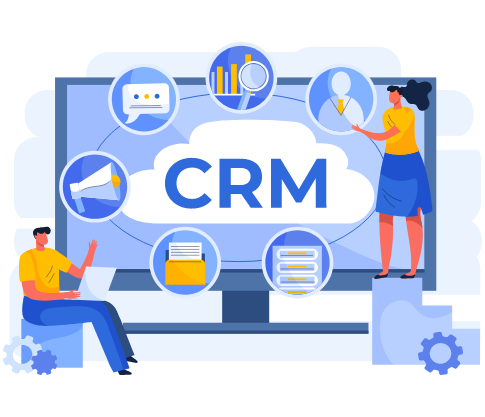
Zoho CRM helps businesses manage customer details, sales opportunities, follow-ups, and communication history. Zoho Books supports accounting activities such as invoices, expenses, and financial records. Zoho Inventory helps manage stock, orders, and product information, while Zoho Campaigns supports email marketing activities.
Zoho Creator can also be used to develop custom applications for business requirements that may not be covered by standard software features. When these applications are connected correctly, information can move between different business functions with less manual involvement.
The goal is not to use every available application. Instead, businesses should select the tools that match their actual requirements and configure them to work together effectively.
Benefits of Hiring Professional Zoho Developers
1. Better Communication Between Business Applications
One of the main advantages of software integration is improved communication between platforms. When applications share information correctly, employees do not have to depend on separate spreadsheets or repeated data entry to complete their tasks.
For instance, customer details recorded in a CRM system can be made available to other connected applications when required. This helps teams work with more consistent information and reduces the possibility of errors caused by manual updates.
2. Reduced Manual Work Through Automation
Many business activities involve repetitive steps, including sending notifications, assigning tasks, updating records, and creating reports. Handling these activities manually can consume valuable working hours.
Experienced developers can create automation workflows that perform selected tasks based on specific conditions. For example, a new customer enquiry can trigger an automatic notification for the sales team. A completed order can initiate related updates in connected systems, depending on the business process.
Automation helps employees spend less time on routine administration and more time on activities that require attention and decision-making.
3. Improved Data Accuracy and Consistency
Maintaining accurate information across multiple applications is important for business operations. When employees update records manually in different systems, mistakes and outdated information can occur.
Integration helps reduce this problem by allowing relevant information to move between connected platforms. Developers can also establish validation rules and workflows to support consistent data handling.
Businesses should still define clear data ownership and update procedures. These practices help ensure that connected applications remain reliable as operations grow.
4. More Efficient Customer Relationship Management
Customer experience depends on how effectively a business manages enquiries, communication, sales, and after-sales support. If customer information is scattered across different tools, employees may struggle to understand previous interactions.
By connecting CRM software with other business applications, companies can create a more organised view of customer-related activities. Sales and support teams can access relevant information and respond with better context.
Zoho CRM customisation and integration can also help businesses organise follow-ups, automate selected communication tasks, and monitor sales progress more effectively.
Connecting Zoho with Third-Party Applications
Many companies already use external platforms for accounting, eCommerce, marketing, communication, and database management. Replacing every existing tool may not be practical. A better approach can be to connect suitable applications with the Zoho environment.
Zoho can be integrated with selected third-party services through available connectors, APIs, and custom development. Depending on the requirements, businesses may connect platforms such as Shopify, Google Sheets, Xero, communication tools, and other software.
For example, an eCommerce business may need customer, product, order, and inventory information to remain consistent across its store and internal management applications. Integration can help reduce manual updates and improve visibility over business activities.
The exact integration method depends on the applications involved, the available technical features, security requirements, and the amount of data being exchanged. Professional developers can assess these factors before recommending an appropriate solution.
Custom Zoho Development for Specific Business Requirements
Every organisation follows its own working methods. Standard software features may be suitable for common tasks, but some businesses need additional functionality to manage specialised operations.
Custom development can help address these requirements. Using tools such as Zoho Creator and Deluge scripting, developers can build applications, automate workflows, customise existing modules, and connect different systems.
A manufacturing company, for example, may need a custom application to manage production updates, internal approvals, and inventory information. A service-based business may require a system for tracking projects, assigning employees, and monitoring customer requests.
The purpose of custom Zoho development is to make technology support the way a business operates. Before building a solution, developers should understand the existing workflow, identify challenges, and define the features required to improve daily work.
Data Migration and System Implementation
Businesses moving from older software or disconnected tools may need to transfer existing information into a new system. This process requires careful planning because customer records, financial details, product information, and historical data must be handled accurately.
Data migration generally involves reviewing the existing information, identifying duplicate or incomplete records, preparing the data, and transferring it into the selected applications. Testing is also important to confirm that the migrated information is accessible and usable.
Zoho implementation involves more than creating user accounts. It may include application configuration, module customisation, workflow setup, user permissions, integrations, and employee guidance. A structured implementation process helps businesses adopt the system with fewer operational disruptions.
Choosing the Right Zoho Development Partner
Selecting a suitable development partner is an important step for businesses planning software integration. The right team should understand both the technical side of Zoho applications and the practical requirements of business operations.
Before choosing a development partner, consider the following factors:
Technical experience: Check whether the team has experience with relevant Zoho applications, customisation, scripting, and integration.
Understanding of business processes: Developers should study existing workflows before suggesting a solution.
Integration capabilities: Confirm that the team can work with the third-party platforms your business needs.
Testing and quality checks: Proper testing helps identify errors before a solution is used in daily operations.
Ongoing support: Future updates, troubleshooting, and additional integrations may be required as business needs change.
Flexible engagement: Choose a working arrangement that suits the project's scope, timeline, and budget.
Clear communication is equally important. A development partner should explain the proposed solution, expected functionality, project stages, and support arrangements in understandable terms.
How Yellow Monkey Tech Supports Zoho Integration
Yellow Monkey Tech provides Zoho development and integration services for businesses looking to improve their digital operations. Its services include Zoho CRM customisation, Zoho Creator application development, third-party integrations, API integration, data migration, implementation, and post-implementation support.
Businesses may have different development requirements depending on their existing software, internal processes, and long-term plans. Some may need help connecting accounting and marketing applications, while others may require custom applications or workflow automation.
Yellow Monkey Tech works with businesses to understand these requirements and develop solutions around their operational needs. Its development services also cover different engagement arrangements, allowing businesses to discuss part-time, full-time, or weekly development support based on project requirements.
Working with experienced Zoho Developers can help organisations plan a connected software environment rather than managing multiple applications without a clear integration strategy. The focus should remain on practical improvements, reliable information flow, and solutions that can adapt as the business develops.
Preparing Your Business for Future Growth
Business requirements often change as a company expands. More customers, additional employees, new product lines, and increasing transaction volumes can place pressure on existing systems.
A connected Zoho environment can provide a foundation for managing these changes. Businesses can add suitable applications, introduce new workflows, and extend existing integrations when necessary. Custom applications can also be updated to support changing operational requirements.
Scalability should be considered from the beginning of a project. Developers need to understand how the system may be used in the future and plan its structure accordingly. This can help avoid unnecessary rework and make it easier to introduce additional features later.
Security and access management should also remain priorities. User permissions, data access rules, regular reviews, and appropriate backup practices help protect business information while supporting responsible system usage.
Conclusion
Seamless software integration plays an important role in improving business coordination, reducing repetitive work, and maintaining consistent information across departments. By connecting suitable Zoho applications with existing business tools, organisations can create workflows that support everyday operations and future development.
Professional Zoho Developers help businesses understand their requirements, customise applications, automate processes, and build integrations that match their working methods. From CRM customisation and API integration to data migration and custom application development, the right technical support can make business software more useful and efficient.
Yellow Monkey Tech offers Zoho development and integration services designed to support different business requirements. Companies looking to improve their software environment can explore a structured approach to integration and choose solutions that help their teams work with greater clarity, consistency, and efficiency.


Comments
Post a Comment